

Finding Errors in Apps That Use CPUs and GPUs
Meta helps developers find errors across two computer parts in one place.
Some apps use two different parts of a computer to do their work. A CPU handles the main work of an app. A GPU can do many small jobs at the same time. Work can pass from one part to the other. When an error happens, either part can help explain what went wrong.
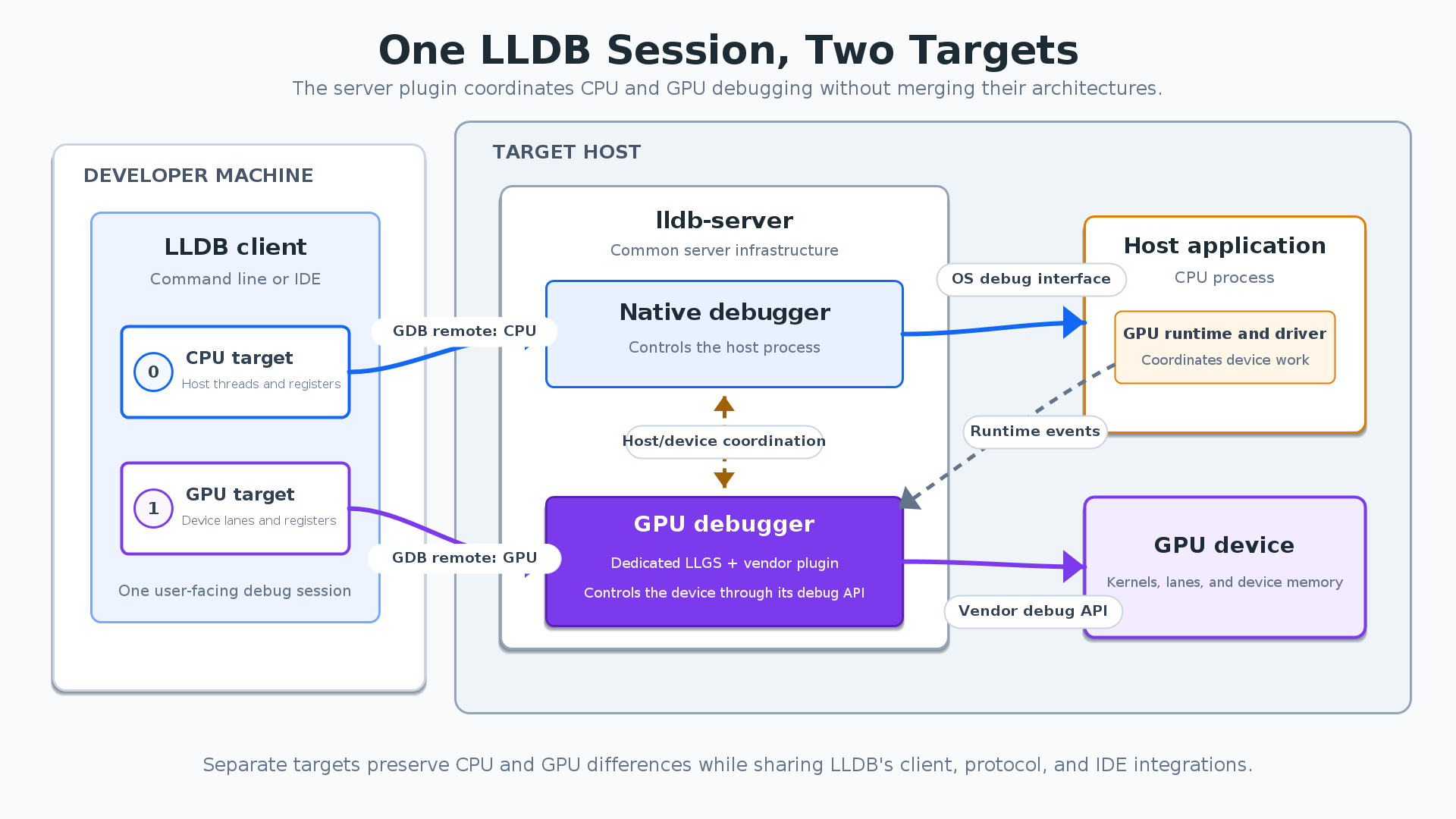
Meta is working on LLDB, a tool that helps developers find errors. The tool can already look at work on the CPU. But the two parts of a computer do things in different ways. The tool needs to show those differences clearly. Meta wants developers to see both parts without switching to another tool.
The team keeps the information from each part separate inside LLDB. Each part has its own view of the work. The developer can still open both views in one place. If an app only uses the CPU, the tool works as before. It only adds the second view when the app needs it.
Different companies make GPUs, and their products do not all work alike. Each company can add the support that its own part needs. The rest of the tool can stay the same. The team also made a way to test shared features without a real GPU. This helps the team check the common work separately. The same checks can help when another company adds support.
핵심 표현
go wrong
문제가 생기다
We checked the file to see what went wrong.
look at
살펴보다
Let’s look at the second screen.
work as before
이전과 같이 작동하다
The app still works as before.
AI를 사용해 생성되었으며, AI는 실수를 할 수 있습니다.