

One iPad App Brings Several Design Jobs Together
Affinity for iPad keeps several design jobs in one file with free core tools.
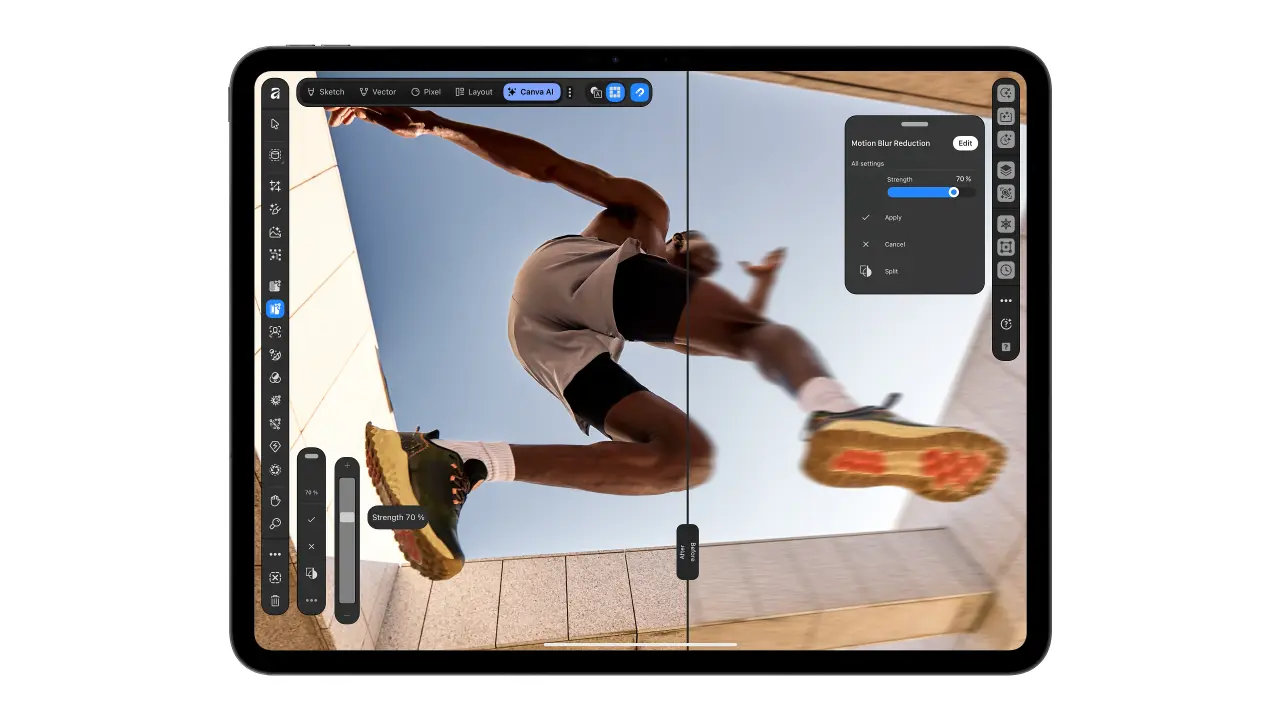
Many creative jobs involve moving work between several different apps. Someone may draw in one app and edit photos in another. They may then need a third app to design the pages. Canva's new Affinity app for iPad brings these jobs together. The main tools are free for people using the app individually. Users need a free Canva account before they can get started.
The different kinds of work stay together in one .af file. Users can switch jobs without moving their work between separate apps. They can keep developing a drawing instead of making it again. The app also turns drawings into clean shapes that users can edit. Another tool helps users select difficult edges, including hair and fur. The aim is to keep several creative steps inside the same project.
The app was designed for touch and for the Apple Pencil. Its drawing tools respond to how hard users press the pencil. They also respond when users hold the pencil at an angle. Apple Pencil Pro adds more ways to control the tools. For page design, users can make small magazines and photo books. The app helps keep pages consistent and prepare the finished work for printing.
The main tools and the AI features have different account requirements. The AI features need a Canva Premium account, which is not free. They can enlarge images or make a flat picture into editable layers. Layers let people change separate parts of the same image. Canva says the AI handles boring work while users keep control. These tools are optional parts of the wider drawing and design app.
핵심 표현
bring together
한데 모으다
The app brings different tools together.
get started
시작하다
Create an account to get started.
keep control
통제권을 유지하다
You can use help and still keep control.
AI를 사용해 생성되었으며, AI는 실수를 할 수 있습니다.